View Instantaneous Charge
For context, see Initiation Analysis.
Activity Steps
- Select the Initiation module.
- Right-click the initiation pattern in the DataBlast Items Tree, and select View Instantaneous Charge from the menu.
Alternatively, if you already have the initiation pattern displayed in the Viewport, on the Analysis Ribbon Menu, click View Instantaneous Charge.
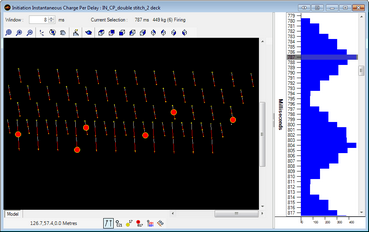
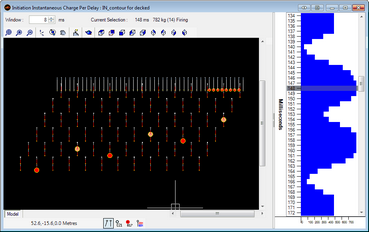
The Instantaneous Charge screen displays.
- Update the Window if required.
- Select a zoom level from 5 ms, 10 ms, 50 ms or 100 ms, or click Reset Zoom.
- Select a horizontal bar in the time window to see the total charge of holes that are firing within the Window number of milliseconds of the selected delay time. The summary, which includes the maximum instantaneous charge (MIC), displays above the Viewport, and the icons of applicable holes change in the Viewport.