
Generate a Floating Reporting Calendar
- The Project Settings form can be opened by using the Project Settings button
 on the Home page of the ribbon.
- Select the Reporting Calendars option under the Calendars section of the tree in the form.
- Press the New button above the calendar list box on the page.
- Type a name for the reporting calendar in the list box.
-
Press the Generate Labels button.
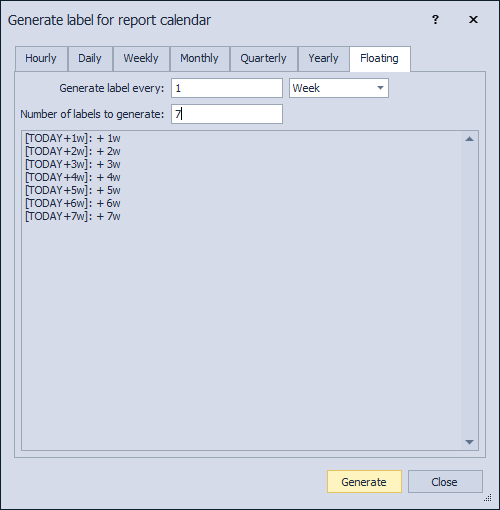
- Select the period to generate the label for, e.g. 1 weeks
- Select the number of labels to generate.
- Press Generate to complete.
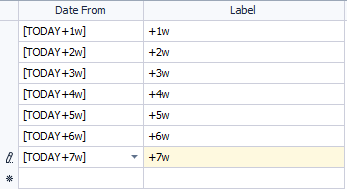
- The labels are created using the [TODAY] tag.
- When using the reporting calendar as a time scale, the labels on the Gantt / Cross Tab time scale will be based on the current date.
