
Resource Availability over Time
The availability of a resource is determined by its Availability field.
This can be varied over time to model variations in resource capacity:
- Double-click the left mouse button while the cursor is over the row representing the resource in the Crosstab.
-
Select the Availability page of the Resource Information form.
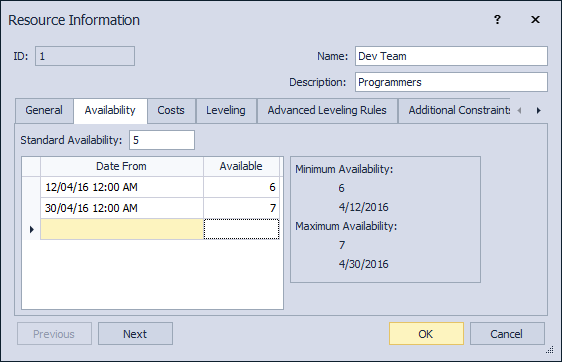
- Enter the Standard availability that will apply before the first date in the availability variation.
- Enter multiple availability periods (date from + available) as required in the grid.
- Press OK to apply.
