
Using a site license (RLM)
Isatis.neo uses the Reprise License Manager (RLM) system to manage site licenses. A site license is installed and deployed on a central server, and shared across the local network.
On the client workstation, no license activation is required — you only need to configure the connection to the license server.
Connecting to the license server
When you first launch Isatis.neo, select the option Specify a License Server in the registration window.
Enter the server name (e.g. Cleopatra) and, if applicable, the communication port (default is 5053), then click OK.
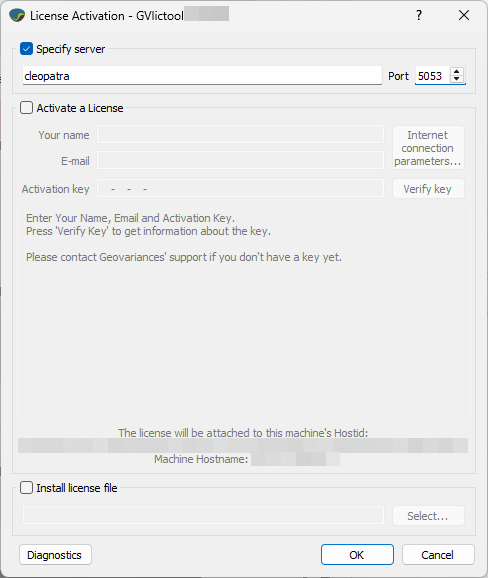
This creates a local configuration file named server.lic in the license subfolder of your installation directory. This file stores the server name and port so that Isatis.neo can retrieve licenses from the License Manager.
License not available?
If you receive a License not available error when launching the software, the license server may be temporarily unreachable or the license might already be in use.
Refer to the Licensing issues section to check:
- Firewall/antivirus settings
- Network configuration
- License usage status on the server
