
Split a Task into Sections
- Locate the bar representing the task in the Gantt chart.
- Move the mouse cursor onto the bar and click the right mouse button.
- Select the Split Task option from the context menu.
-
In the Split Task form specify either the date, quantity (for fixed rate tasks) or percentage complete to split the task at.
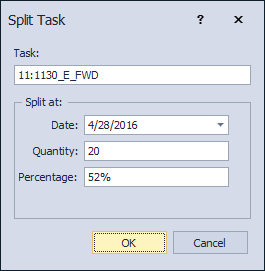
- Press OK to split.
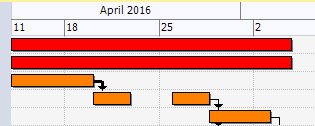
- The task is split in two sections.
-
Each section can be scheduled individually, for example:
Note: Tasks can be automatically split when resource levelling, but only if they are permitted to do so. This is controlled using the Task Information screen's Levelling tab (Task can be split option).
