Summary Fields
It can be useful to report separately on the production fields of certain tasks in the Crosstab view.
For example. in the case of an open cast mine where all mining blocks contain production fields for Tons and Fe. However, only some blocks are treated as ore and send to the plant, and the rest to waste dumps.
One way to handle this is to create two properties; Ore Tons and Waste Tons and specify only Ore Tons for ore blocks and only Waste Tons for waste.
The other way is to create three summary fields:
| Summary Field | Production Field | Filter |
|---|---|---|
| Ore Tons | Tons | Ore Blocks |
| Waste Tons | Tons | Waste Blocks |
| Ore Fe | Fe | Ore Blocks |
The summary fields can be reported in the Crosstab and histograms. Targets can be specified in the same way as for production fields.
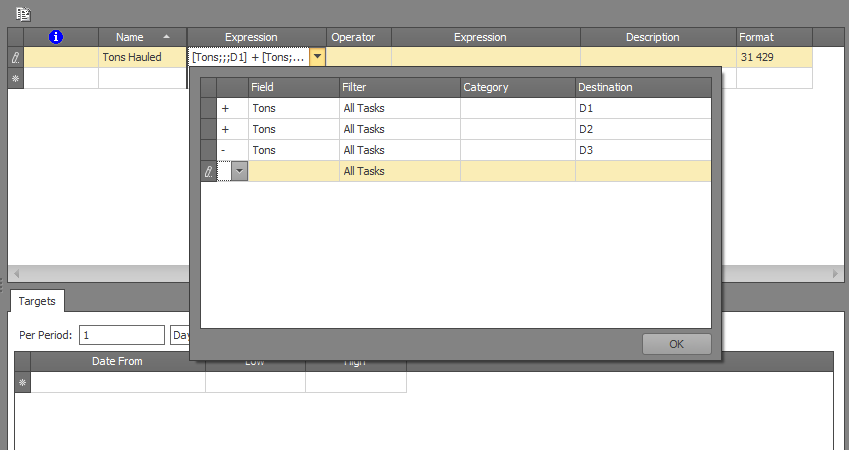
Each summary field supports either one expression (made up by one or more production fields combined with task selection based on filter, material category and destination), or the ratio of two expressions. The ratio (/) operator can, for example, be used to define stripping ratios.
The production fields in an expression can be combined using plus or minus operators, for example: