Color Scale Export
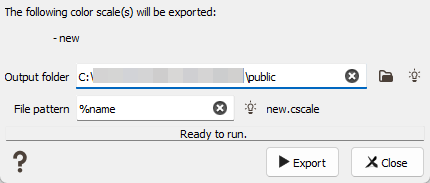
Select from the Color Scale Explorer the color scale(s) you want to export, do a right-click and choose Export to pop up the dedicated task. The color scales to be exported are listed as a reminder.
Select the Output folder in which you want to save the exported color scale(s). Click the folder to pop up a window folder selector. By default, the color scale(s) will be exported in the public folder of the project.
A File pattern is then offered to help the definition of output file names. You can edit this pattern to modify it and define the name of your choice. Click on  to retrieve the default pattern: %name. If several color scales are exported at the same time, the file pattern must contain %name to avoid them having the same output name. A preview of the first color scale name is displayed for information.
The exported color scale will be stored in a *.cscale file.