Distance to a Mesh
The Distance to a Mesh utility enables you to calculate the distance from meshes to samples from points, boreholes or from a grid.
-
Input:
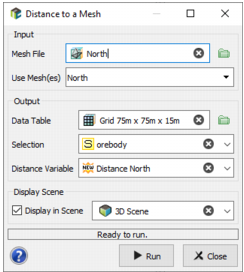
- Select the Mesh File which contains the mesh(es) to be used to calculate the selection.
- A mesh can be composed of several objects, and it is possible to consider each of them as an individual mesh. The Use Mesh(es) part lists the available meshes contained in the file. By default all the meshes contained in the file are automatically selected.
-
Output: Select the output Data Table in which the Distance Variable will be stored. It can be of any type: points, boreholes or grid.
- Data Table: Click the directory icon next to Data Table to open a Data Selector and select the input data where the new distance variable will be created. The Data Table can also be dragged and dropped directly from the Data tab.
- Selection: A Selection can also be provided to use a specific subset of the output data for the calculation of the distance.
- Distance Variable: Enter the name of the new distance variable to be created. If the variable already exists, an overwrite confirmation will be popped up. The calculated distance will be associated to a Length unit class and will always be positive, even for the outside and the inside of a closed mesh.
- Display: The resulting distance will be automatically displayed in a defined scene (2D or 3D) at the end of the run by selecting the Display in Scene toggle.
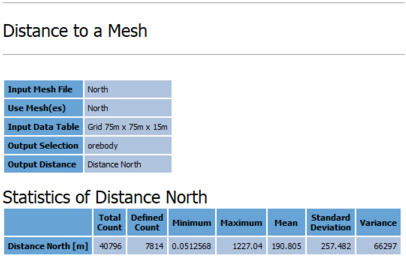
- Click Run to launch the task and create the distance variable. Statistics of the distance variable are calculated and printed in the Application Messages window at the end of the run.