
Geostatistical Set & Output Variables
- Geostatistical Set: This section summarizes the different objects saved in the Geostatistical Set (data, drift(s), experimental variogram, variogram model). To make easier the naming of Geostatistical Sets, a Naming Pattern offers an automatic way to build the syntax of this name. This one is based on the variable(s) name and on the transformation (raw or residuals) if applied.
- Open Variogram Model Editor after the Run: This option enables the opening of the Modify Raw/residual Variogram window at the end of the run if you want to see and edit the variogram parameters to modify them. This window is also reachable from the Geostatistical Set explorer.
- Output Variables: In case of transformation, the associated residuals are also stored at the same time. A Preview allows to see the final names.
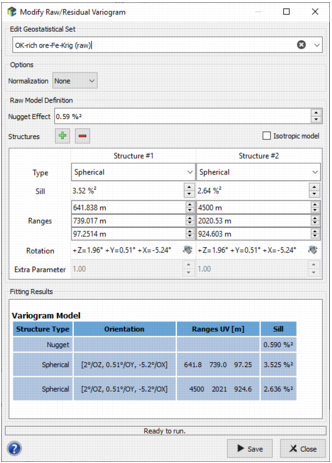
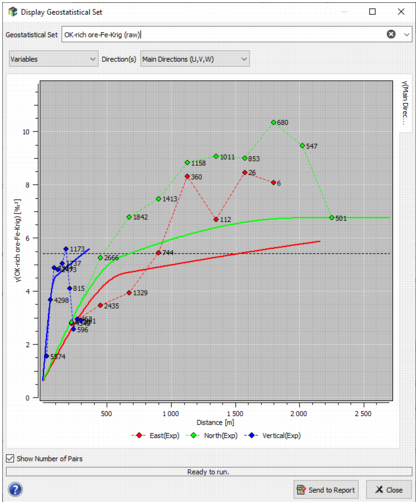
Click Run to save the computed experimental variograms and the associated model in a Geostatistical Set. The computed variogram(s) will be displayed in a pop-up window at the end of the run.
Click Close to dismiss the dialog box. The defined parameters are kept in memory.
