
Change Log Column Format
Log columns can be displayed as text or in a variety of graphical formats.
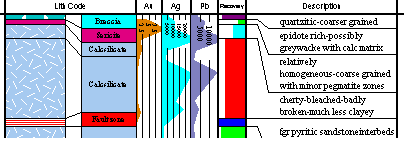
To change the display style of a column:
-
Right-click a column in the Log View and select Format Display....
-
On the Properties screen, select the Columns tab.
-
Select the column name in the Columns in View box.
-
Select the Style Templates tab to display the current display style. The Customized style check box indicates whether the default template style has been modified. Clear the Customized style check box to reset the style to the original template settings.
-
Select the column display style required from the gallery of pre-defined styles. Settings on the other style tabs will be modified according to the selected template.
-
View and modify the style settings on the other tabs as required.
-
Click Apply to view the changes or OK to close the screen.
For more information about modifying style templates see:
Related topics and activities:
