
Delay Task Start (Drag Method)
Activity steps:
-
Move the mouse cursor onto the bar which you want to delay. The cursor will change as shown:
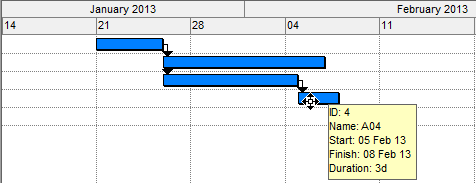
-
Press the left mouse button down and drag the bar to the date you want it to start. The cursor will change and a bubble window will display the start date corresponding to the current mouse cursor:
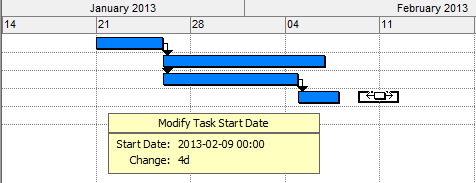
- Release the left mouse button when the start date you require is being displayed.
- The task constraint date is set and the task scheduled from this date.
Note You cannot drag a task to start earlier than its predecessors will dictate. You can only delay the start of a task.
Related topics and activities
