
Select Resource Fields
Activity steps:
-
Right-click the Cross tab and select Chart Options.
The Crosstab Options screen displays.
- Select the Resource Details tab.
- Add the fields you want to display for each resource in the grid. See Crosstab Options: Resource Details
- Ensure the Hide Resource option is unchecked.
-
Click OK.
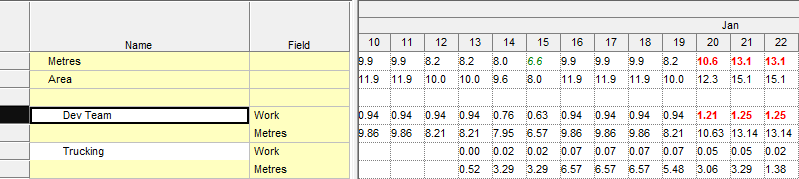
The resource fields are displayed for each resource below the total fields, for example:
Related topics and activities
