(Resource) Bar Chart Options: Labels
To display this screen:
-
Display the Bar Chart Options screen and select the Labels tab.
Label task bars in the Gantt chart or a resource bar chart.
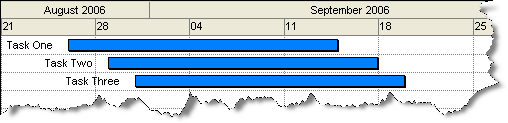
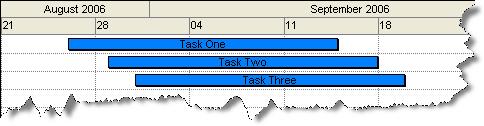
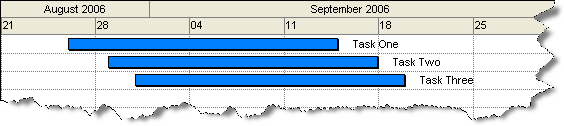
Up to three labels can be displayed for each chart activity block. Labels can be displayed on the left or right of the task or over the actual activity, for example, in the image below, the left label of a Gantt chart bar has been set to % Complete (0 as it hasn't been started yet), the right label shows the scheduled Start date and the center label shows the currently defined Rate:

Activity steps:
-
Choose an attribute value to display to the left of the task bars (Left Label).
-
Optionally, pick a Right Label and Center Label.
-
For each label, pick a number format. This is only used for numeric data fields.
-
Click Fonts to display the Text Styles screen and configure the font for all labels.
-
Click OK to return to DTS.
Examples
The following examples have the label Description set as:
Related topics and activities