
Destinations Settings
To access this screen:
-
Project Settings >> Destinations.
Specify destinations, which are used for the haulage analysis. A destination is one of the following types:
- General destination – Usually used for waste dumps
- Plant – An ore processing plant. Material can only be moved to/through a plant.
- Stockpile – Material can be moved to and moved from a stockpile.
- Replaceable – A proxy destination. Use this to allow one or more destinations to replace the destination as appropriate during scheduling.
See Destinations.
Information is split into the following categories, accessible via tabs at the top of the screen:
-
Details – General details of the destination including material acceptance rules, haulage information and (for stockpiles) reclaim settings. See Add Destination Details.
-
State/Actuals – Only available for Stockpile and Dump destinations. See Capture Destination Actuals.
-
Targets – Destination-specific targets (costs, grade targets, extraction volume and so on). See Set Destination Targets.
-
Internal Delays – Inserts tasks and associated delays where the destination reaches each threshold. See Set Destination Delays.
Managing Destinations
The left of the Destinations screen lists all existing project destinations. Selecting a destination automatically updates the screens on the right.
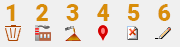
Use the tool tray to manage the list of destinations:
-
Create new general (dump) destination.
-
Create new plant destination.
-
Create new stockpile destination.
-
Create new replaceable destination.
-
Delete the selected destination.
-
Rename the selected destination.
Related topics and activities
