
Stereonet Cones
To access this screen:
-
Display the Stereonet screen and select the Cones tab.
The Cones tab of the Stereonet screen is used to create and delete cones, and to define cone colour and line thickness settings.
To open this dialog, display the Creating and Editing Stereonet Charts dialog and select the Cones tab.
Note: The Stereonet dialog is modeless. You can leave it open while you run commands in other windows.
To define a new cone:
-
Load the required data and define a stereonet chart.
-
On the Cones tab, click Create New Cone.
The New Cone screen displays.
-
Enter the Cone Name.
-
Enter the Axis Dip.
-
Enter the Axis Dip Direction.
-
Enter the Angle.
-
Click OK.
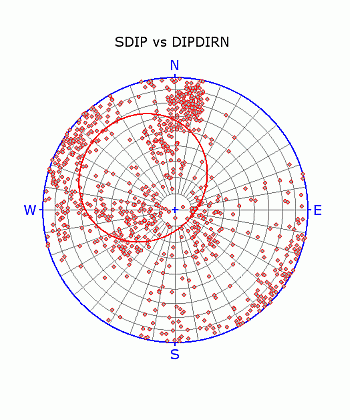
The cone is added to the stereonet chart.
-
Check the cone orientation in the Preview Pane.
-
In the Display group, select the cone Color.
-
In the Display group, select the cone Line Thickness.
For an example of using cones for friction analysis, see Friction Cones.
Related topics and activities:
